
Project Overview
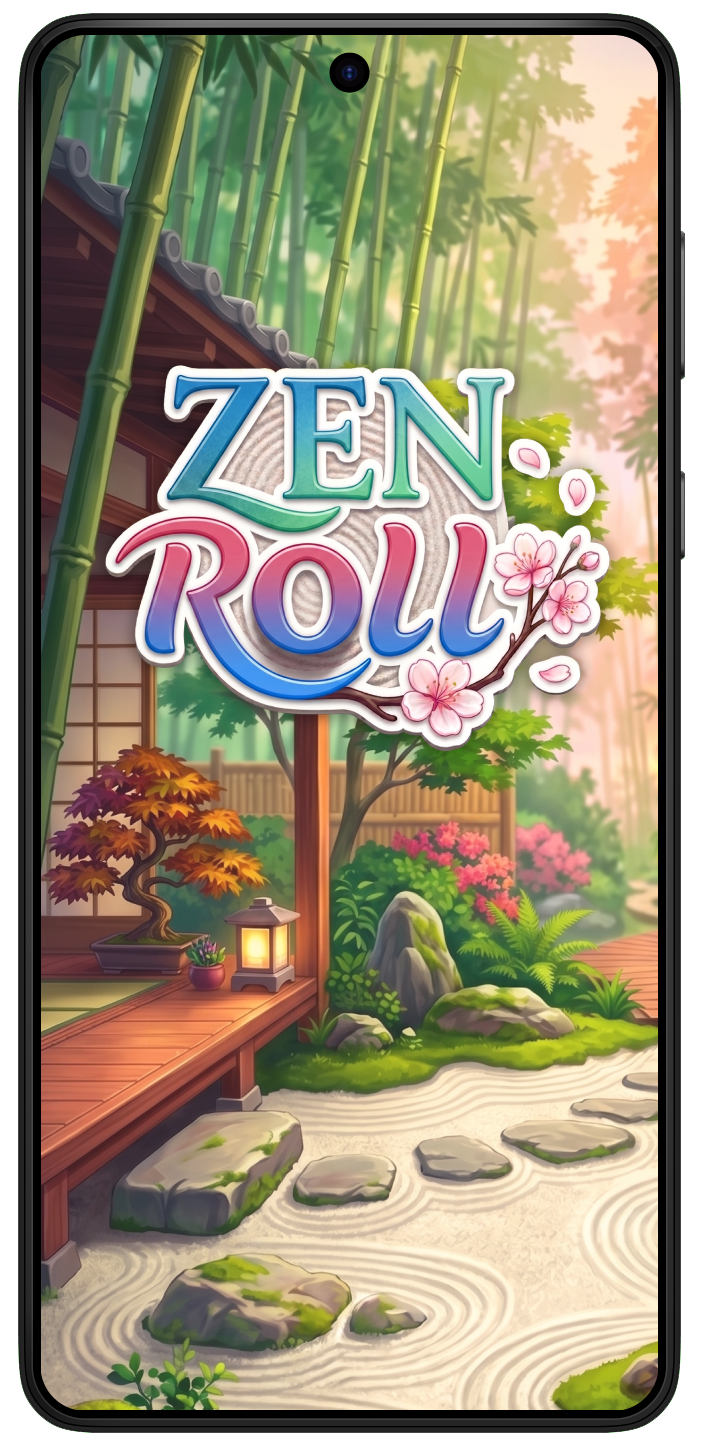
Zen Roll is an AI-assisted design exploration for a hyper-casual mobile puzzle. Starting from my sketches, wireframes, and logo concepts, I defined a calm garden-inspired direction and structured the gameplay and supporting screens in Figma.
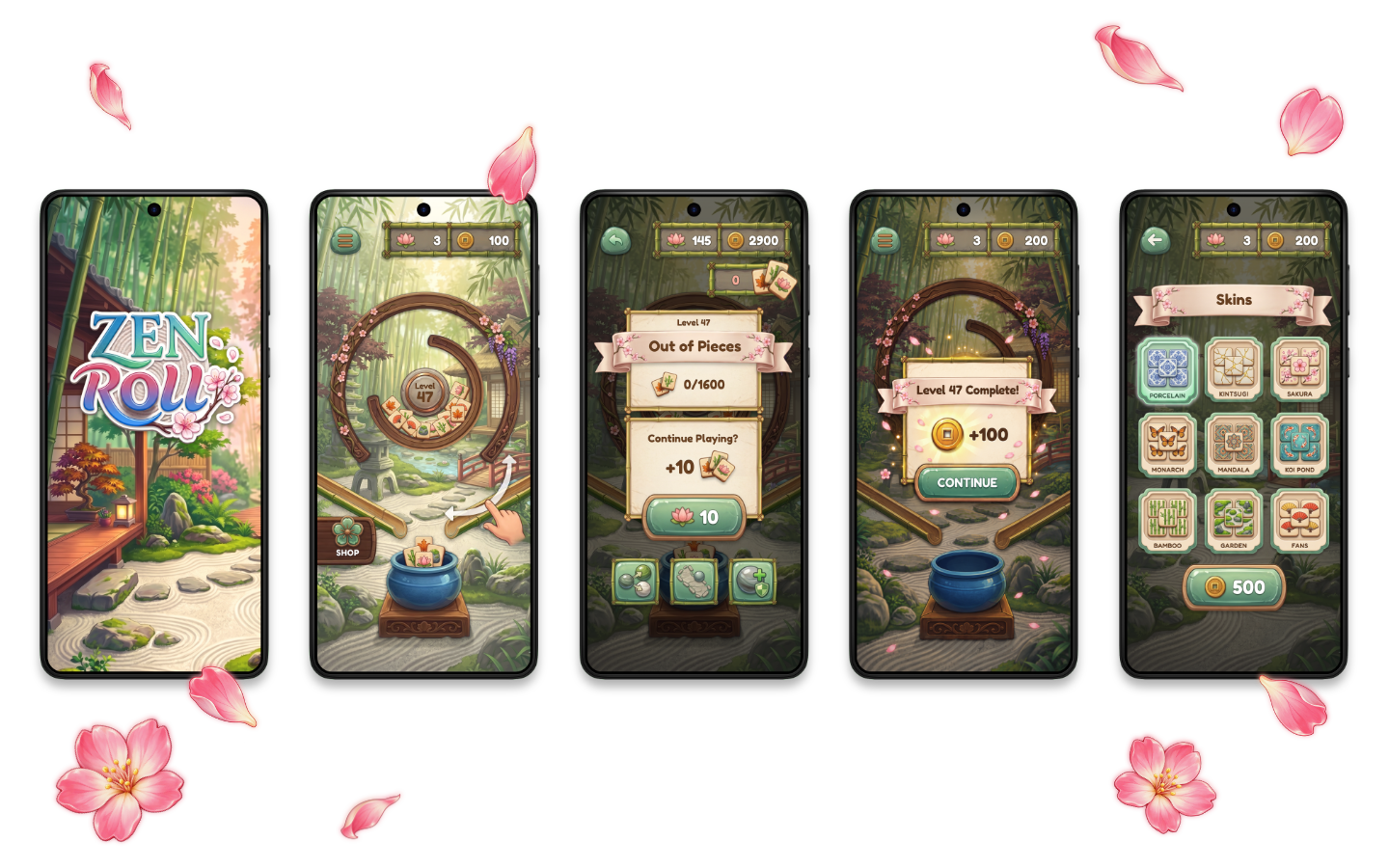
I used AI to develop much of the artwork, then refined and composited the assets in Photoshop. The set covers play, recovery, reward, and skins.


Project
Zen Roll | AI-assisted game design exploration
Context
Response to a Crazy Labs design exercise - April 2026
My Role
Sketches and wireframes, UI design, visual direction, asset curation and refinement
Tools
Figma, Photoshop, Illustrator, Adobe Firefly, Gemini / Nano Banana

Design Challenge
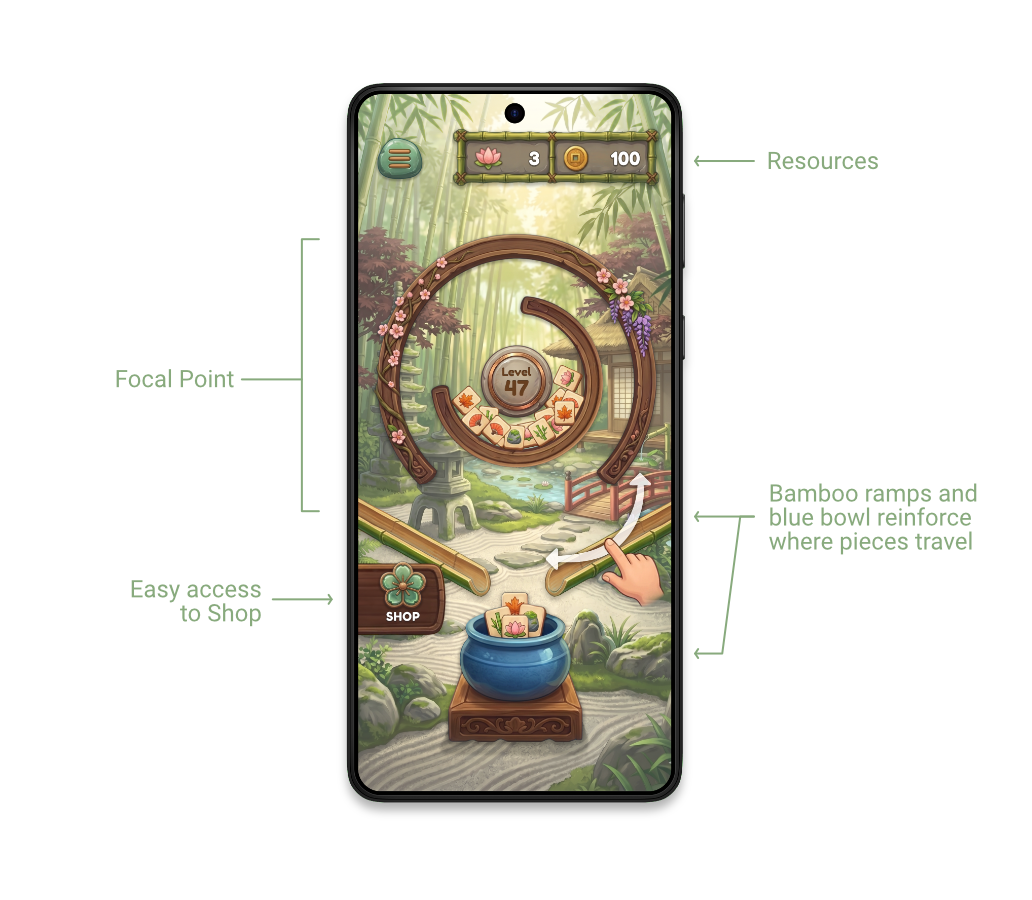
The detailed garden needed to feel tranquil while leaving the puzzle easy to read. I centred the circular play area and kept the level, resources, and key actions legible around it.

Research Visual Direction and Process
Visual Direction
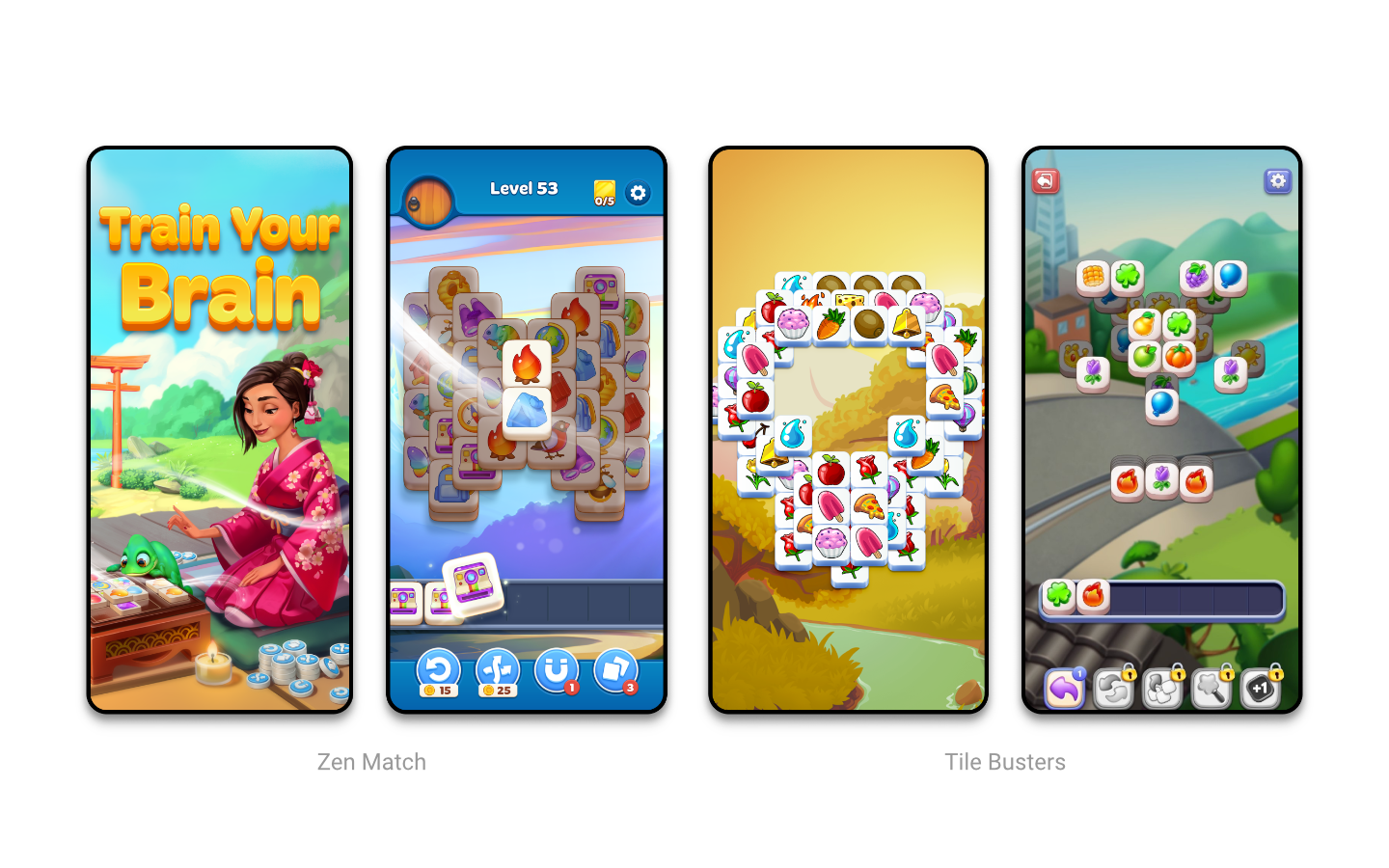
I looked at Zen Match and Tile Busters for familiar puzzle-game cues, then built a moodboard around raked sand, bamboo, polished stone, and soft natural light.
These references guided my AI material and environment studies. I called the selected direction Organic Minimalism: painted, tactile materials paired with a clear interface hierarchy.
Moodboard
I curated a specific mood board focusing on Zen Garden elements, including raked sand patterns, soft-focus nature photography, polished stone textures, and minimalist spatial design.


From sketch to final layout
I began with my own sketches, wireframes, and logo concepts. I set the circular puzzle, resource bar, and tile collection area in Figma, then used generated visual studies and Photoshop refinement to develop the final treatment.
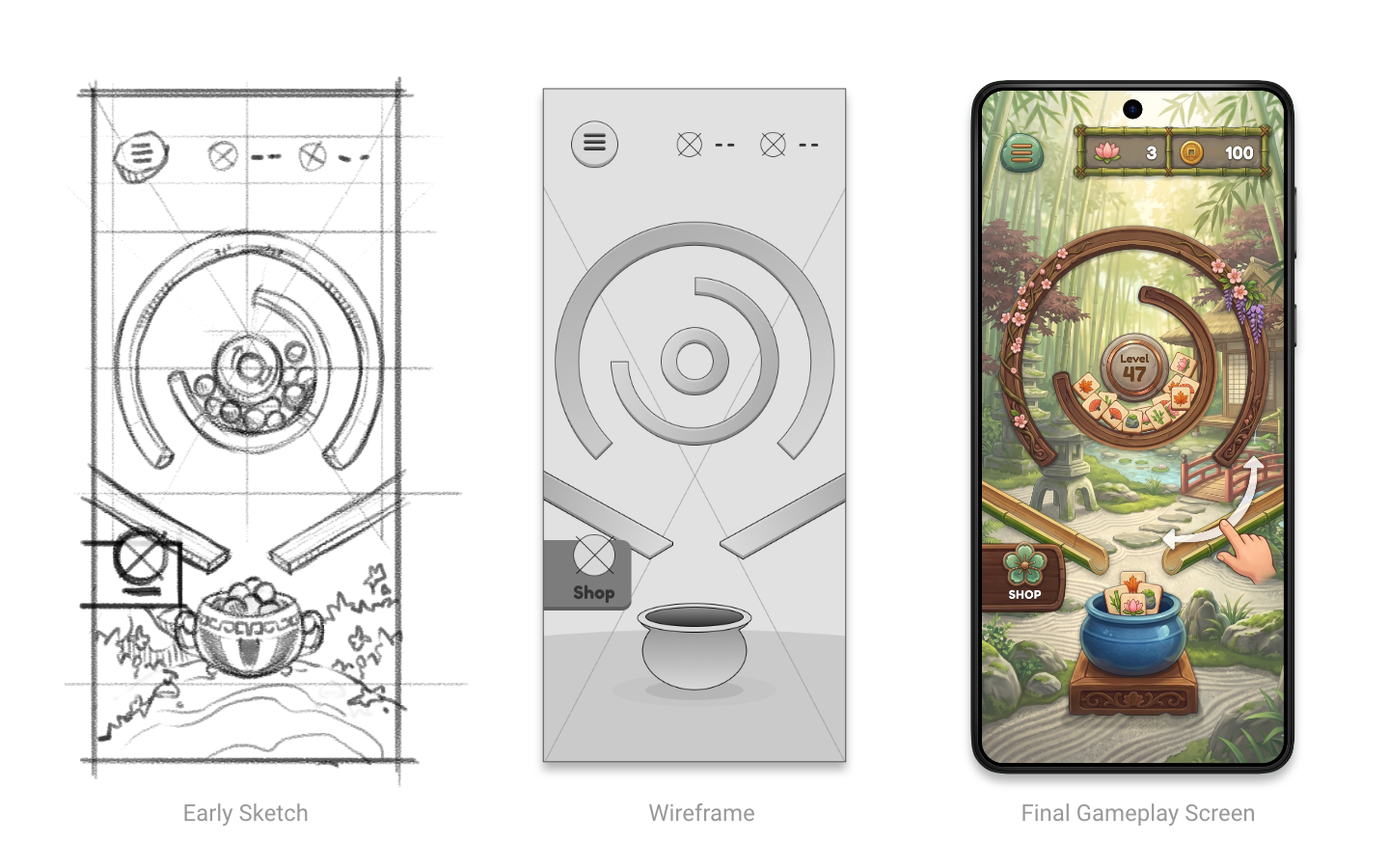
The layout establishes the board as the focal point, with status above and collection below.

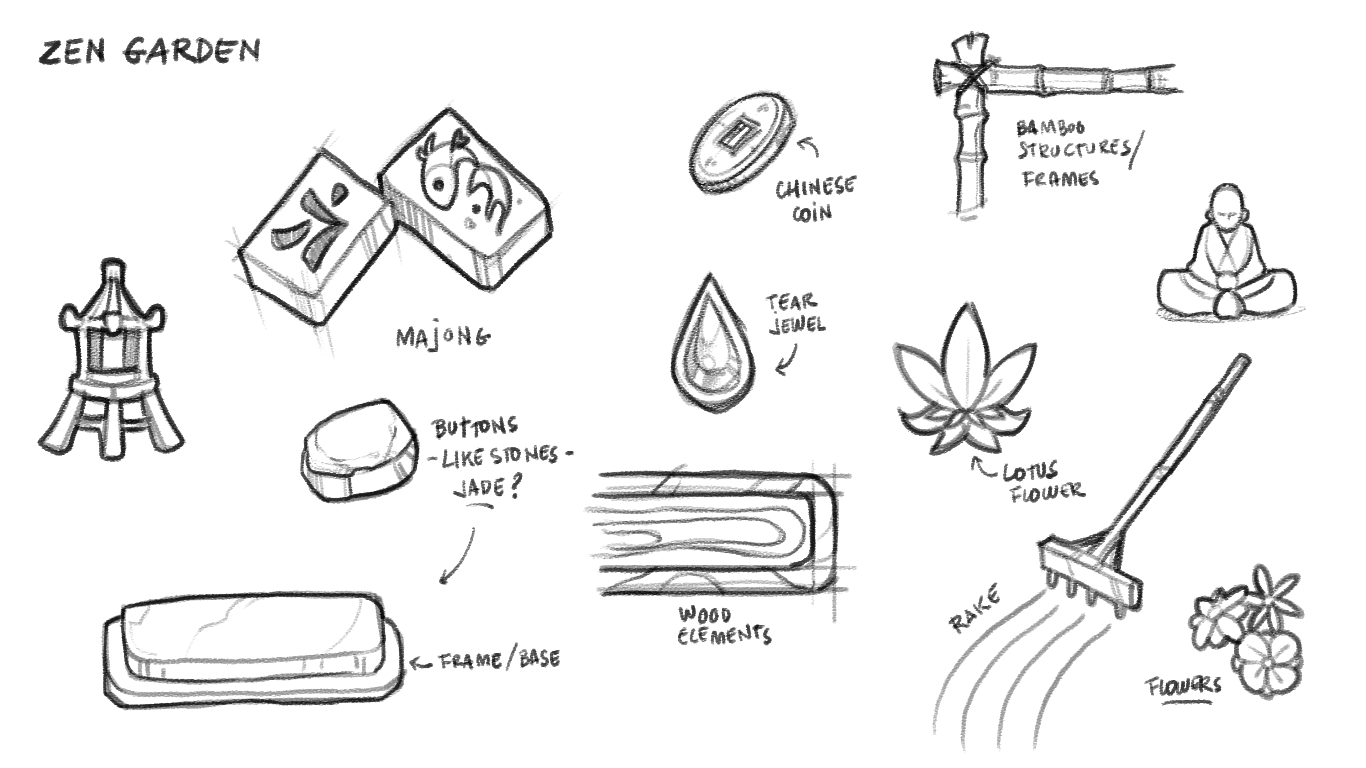
My early sketches explored how bamboo frames, stone buttons, tiles, and garden motifs could form a consistent visual language.

Core Gameplay
The rolling puzzle remains central. The resource bar sits at the top, the collection bowl anchors the bottom, and the initial gesture cue makes the interaction visible without covering the board.

Recovery and reward
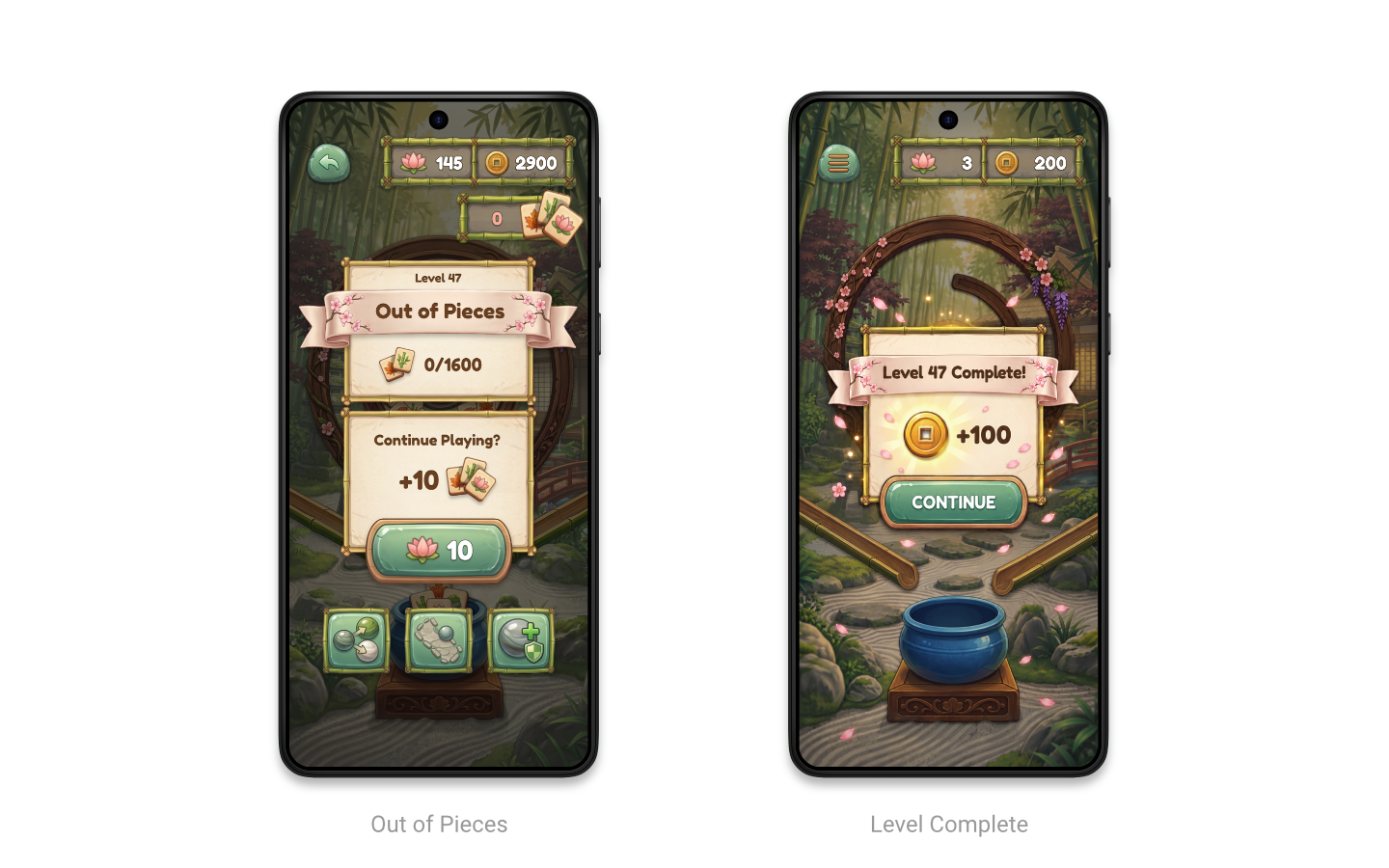
I carried the parchment, ribbon, jade, and garden materials into two representative states: running out of pieces and completing a level. Keeping the playfield visible behind each panel preserves context.
Out of Pieces
When pieces run out, the dimmed playfield keeps the level in context. The panel makes the blocked state clear and presents a direct continuation choice: ten more pieces for ten lotus.
Level Complete
The completion panel uses the same materials for a quieter reward moment. A coin reward and one Continue action make the next step obvious while petals and small particles add a sense of celebration.

Skins and the UI art system
The skins menu brings the tile themes into a simple three-column collection. Porcelain, Kintsugi, Sakura, Monarch, Mandala, Koi Pond, Bamboo, Garden, and Fans demonstrate range without changing the underlying tile format.
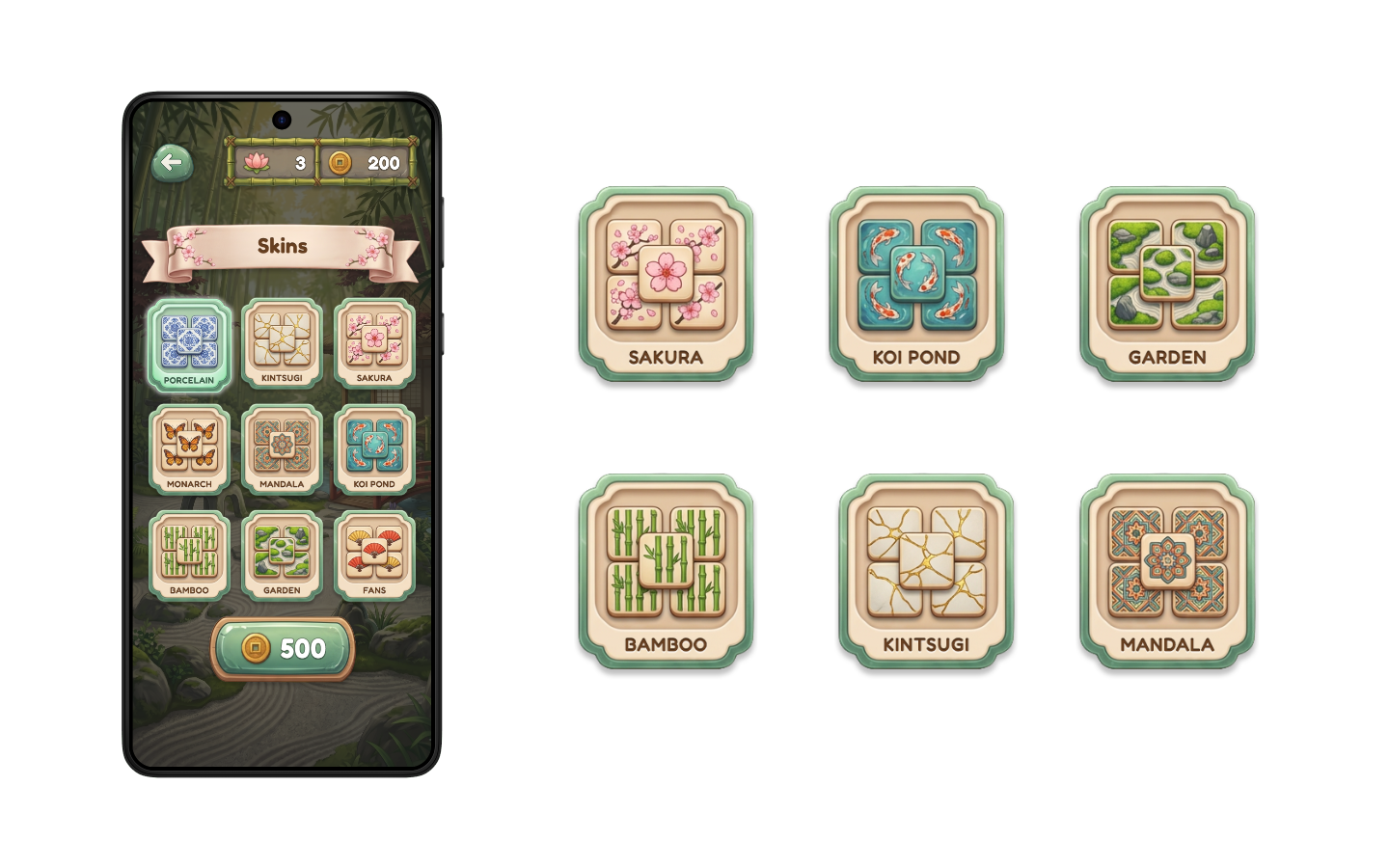

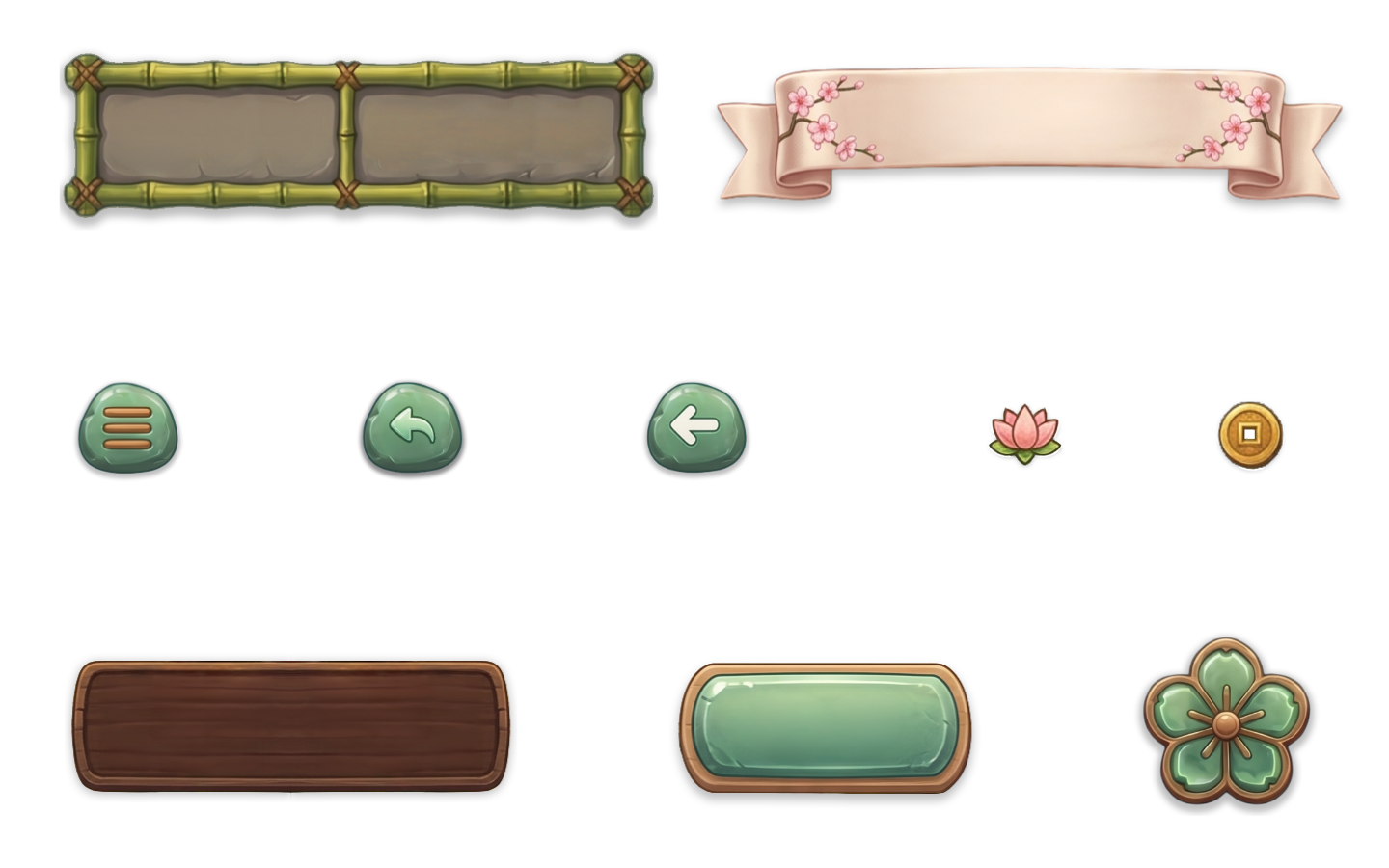
Collectible looks expand the game’s visual range within one consistent set of UI frames.

Process and Outcome
Production
I directed AI asset generation using my own sketches and visual concepts as inputs. I selected and refined the outputs in Photoshop to bring the materials, lighting, and details together, while building the screen layouts and typography in Figma.
Most of the illustrated asset bases were AI-generated; the interface structure and final compositing were my hands-on design work
Outcome
This exploration brings the original concept, generated artwork, and UI decisions into one consistent direction across entry, play, interruption, reward, and customization.
The next step would be to prototype the first-play gesture and check the hierarchy at phone size.

LET'S CONNECT!
Thank you for your interest in my work! Should you have any inquiries or wish to share some thoughts, please don't hesitate to reach out.